Skip to content

Private. Offline. Yours.

Own your home history

Track appliances, maintenance schedules, vendors, renovations, documents, and costs in one place — with printable home reports and data that stays on your computer.

One-time purchase (no subscriptions) · $39.99 · 30-day trial · See all pricing
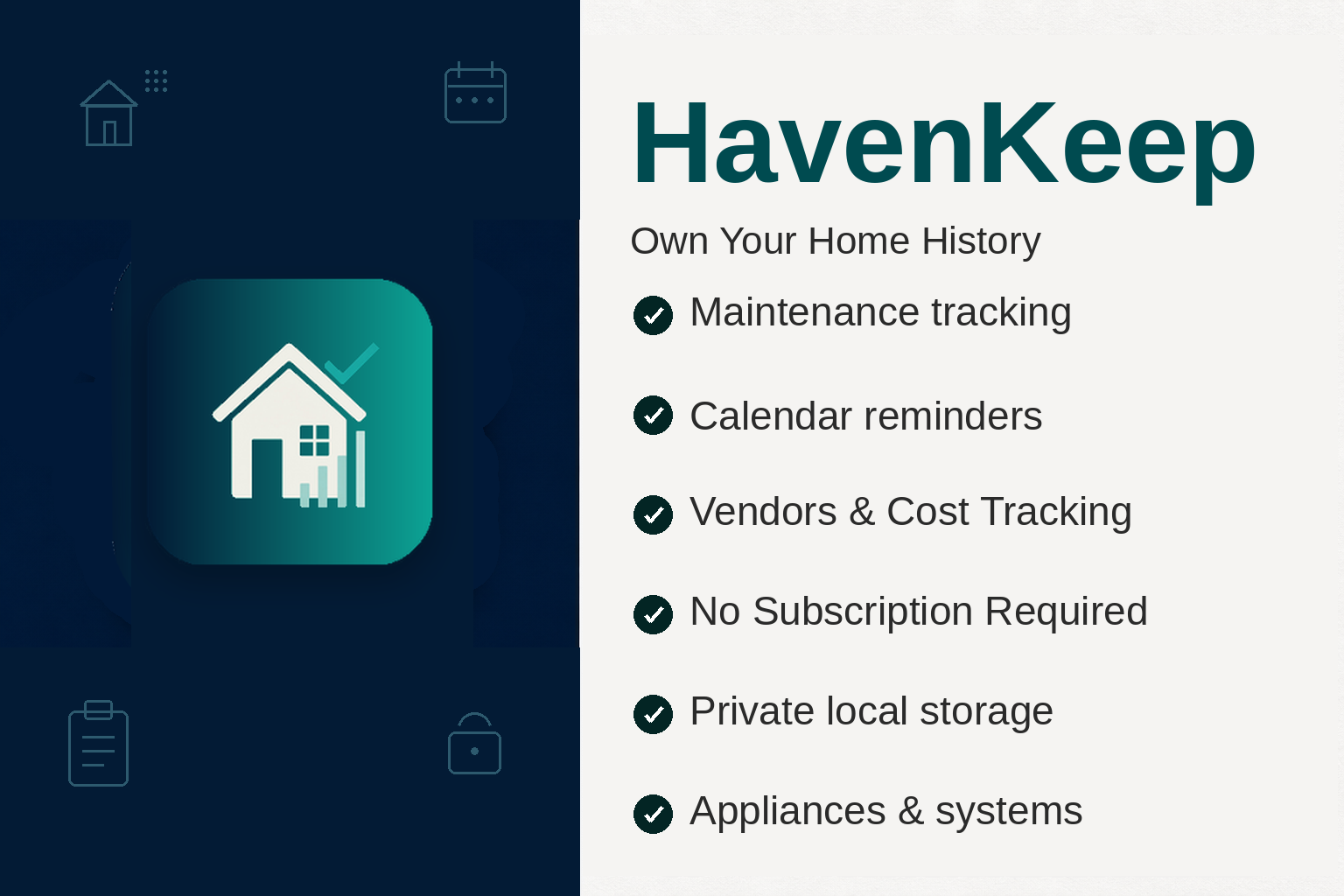
Data on your Windows PC Works completely offline Desktop productivity No subscriptions
HavenKeep Windows app with home maintenance dashboard, appliances, and schedules

Core pillars

One-time purchase No subscriptions. Buy once, own forever.
Data on your Windows PC Home records stay local — no forced cloud.
Works completely offline Full tracking without an internet connection.
Desktop productivity Large screens, fast entry, multi-window workflows.

Windows app

Home dashboard

An overview of your home maintenance — appliances, upcoming appointments, overdue tasks, projects, to-dos, and photos — on your PC.
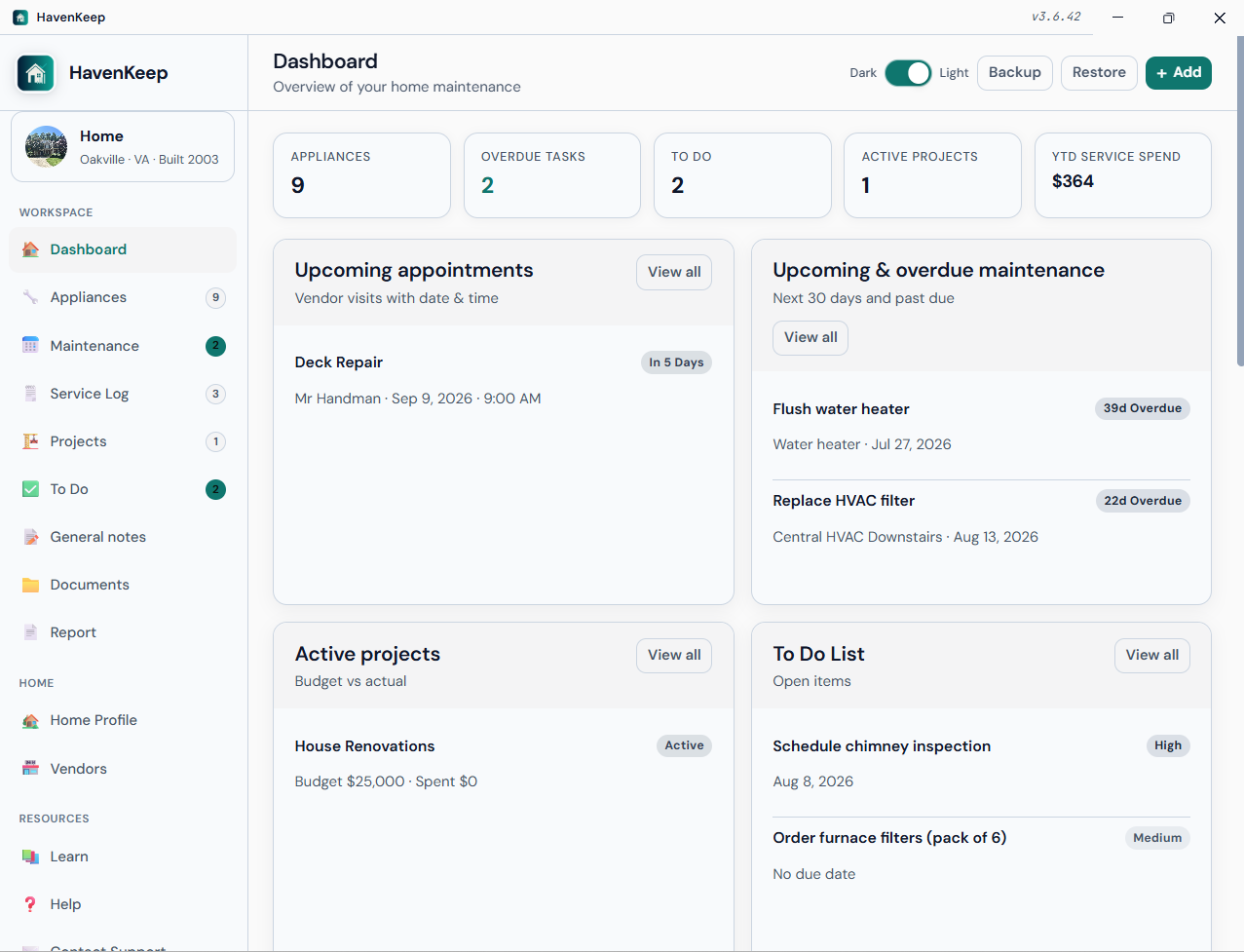
HavenKeep dashboard with maintenance overview, appointments, projects, and photos

Everything you need for lifelong home records

Built for homeowners who want organized maintenance history — Private. Offline. Yours. One-time purchase, data on your PC, completely offline, designed for desktop productivity.

Home profile

Address, year built, square footage, purchase details, and optional mortgage notes — your property snapshot in one place.

Appliances & systems

Inventory HVAC, kitchen, plumbing, electrical, and more with model/serial, warranty end, lifespan, and linked vendors.

Maintenance schedules

One-time or recurring tasks (monthly through yearly). Mark complete to log service and advance the next due date.

Vendors & service log

Preferred trade directory plus scheduled or completed work with costs, notes, and multi-PDF invoices.

Projects & to do

Renovation projects with budget vs actual, plus prioritized household to do linked to appliances or projects.

Documents & reports

Manuals, warranties, receipts, and photos in a hub — plus a printable home report for your full property snapshot.

Complete capabilities

A full map of what HavenKeep can do — aligned with the current Windows app.

Dashboard

  • Summary stats (overdue maintenance, open to do, active projects)
  • Upcoming appointments and maintenance (next 30 days)
  • Active projects with budget vs actual
  • Open to do and general notes with quick-add
  • Home photo gallery
  • Recent costs from services and projects
  • Home calendar (month view) with day detail

Home profile

  • Home name and optional profile photo
  • Address, city, state, ZIP
  • Year built, square footage, free-form notes
  • Purchase price and purchase date
  • Optional loan/mortgage details (lender, balance, rate, payment, term)
  • Single-home focus — one property per install

Appliances & systems

  • Search by name, brand, model, or serial
  • Filter by category and status
  • 11 categories (HVAC through Other)
  • Location, purchase date, warranty end, expected lifespan
  • Service contract # and linked vendor
  • Statuses: Active, Needs service, Under warranty, Retired
  • Link maintenance, services, to do, and documents

Maintenance schedule

  • Recurring or one-time tasks with next due date
  • Frequencies: one-time, monthly, quarterly, every 6 months, yearly
  • Optional appliance link and expected cost
  • Overdue sidebar badge; show or hide inactive tasks
  • Appears on Dashboard calendar

Appointments & service log

  • Scheduled, completed, or cancelled work
  • Vendor, date, and time for appointments
  • Cost, notes, optional appliance/project links
  • Multi-PDF attachments (invoices, warranties, receipts)
  • Feeds dashboard and home calendar

Vendors

  • Trade directory with preferred flag (sorts to top)
  • 11 trades (HVAC, plumbing, electrical, landscaping, and more)
  • Contact, phone, email, website, address
  • Clickable tel / mailto / maps links
  • Optional badge photo and PDF attachments
  • Job count and spend from the service log
  • Schedule work from a vendor card

Renovation projects

  • Name, notes, optional vendor
  • Status: Planning, Active, On hold, Completed
  • Budget vs actual cost
  • Start and end dates
  • Shown on dashboard; costs roll into spend and home report

to do, notes & calendar

  • Priority (High / Medium / Low) with optional due date
  • Link to do to an appliance or project
  • Filter Open / Done / All
  • General household notes (insurance, HOA, utilities)
  • Notes support photos and PDFs; searchable
  • Calendar combines appointments, maintenance, and dated to do

Documents hub

  • Types: Manual, Warranty, Receipt, Photo, Other
  • Title, date, notes, optional appliance link
  • Keep manuals and warranties with the asset they belong to

Backup, report & print

  • Full ZIP backup (JSON data + photos + PDFs)
  • Restore with merge or replace
  • Printable home report (profile, appliances, maintenance, services, projects, to do, vendors, documents, YTD spend)
  • Open local data folder from Account

Account, license & application

  • Owner name & email
  • 30-day free trial from install date
  • License activation (offline keys)
  • License badge & status on Account page
  • Light / Dark theme toggle (remembered)
  • Responsive sidebar navigation
  • In-app Help + Learn educational guide
  • Privacy & Terms in-app pages

Platform, Learn & packaging

  • Native Windows 11 desktop app (x64)
  • Local data under HavenKeepData/ for photos & PDFs
  • Offline Learn topics: getting started, seasonal checklist, HVAC, plumbing, warranties, vendors, privacy
  • One-time purchase — no subscription required

At-a-glance capability matrix

Quick reference for product pages, sales one-pagers, and store listings.

Area What you can do Highlights
Home profile Store property details, purchase info, and optional loan notes Photo · address · mortgage fields
Dashboard See overdue work, upcoming care, projects, costs, calendar Stats · album · quick-add
Appliances Inventory systems with warranty, serial, vendor links 11 categories · search · status
Maintenance Schedule recurring or one-time upkeep with due dates Complete · advance · overdue badge
Service log Schedule or log work with cost, notes, multi-PDF PDF viewer · vendor required
Vendors Keep a preferred trade directory with spend history 11 trades · schedule from card
Projects Track renovations with budget vs actual Status · dates · dashboard
to do & notes Prioritized tasks plus household notes with media Links · search · filters
Documents Store manuals, warranties, receipts, photos Appliance link · in-app view
Calendar Month view of appointments, maintenance, dated to do Day detail · legend
Reports Printable home snapshot for records or buyers Profile · assets · spend
Learn Offline home-care tips and seasonal checklist HVAC · warranties · vendors
Backup Backup/restore ZIP file; merge or replace Full media backup
Privacy Local-only storage; no cloud account required You own the data folder
License 30-day trial; permanent unlock with key Offline activation

Appliance & system categories you can track

Filterable inventory built for real homes — not just a generic asset list.

HVAC Kitchen Laundry Plumbing Electrical Water heater Security Outdoor / lawn Roofing / exterior Major appliance Other

Why homeowners choose HavenKeep

Real benefits for keeping a house organized — grounded in what the app actually does.

Never miss a filter change

Recurring maintenance with overdue badges keeps HVAC, water heaters, and seasonal tasks on schedule.

Know every model and warranty

Serial numbers, warranty end dates, and linked manuals live with each appliance — ready when something breaks.

Call the right contractor fast

Preferred vendors by trade with phone, email, and past job spend — schedule the next visit from the card.

See project spend clearly

Budget vs actual on renovations, plus service costs that roll into recent spend and the home report.

Privacy you control

No cloud account required. Your records stay in HavenKeepData/ with full ZIP backup & restore.

One-time price

$39.99 lifetime license after a 30-day trial — no subscription tax for owning your home history.

Privacy-first by architecture

HavenKeep is designed so your home’s maintenance history never has to leave your household.

Local storage Data lives under HavenKeepData/ on your Windows PC.
No forced cloud Works completely offline. Export only when you choose.
You own backups Full ZIP (records + media) file — merge or replace on restore.

Also from AppsKeep

FamilyHealthKeep for general health · TeethKeep for dental · PetsKeep for pets · FamilyCarsKeep for vehicles · AccumulatusKeep for papers · Bundle pricing

Own your home history

One-time license for the Windows 11 app — keep appliances, vendors, and maintenance organized for life.

Includes 30-day free trial · Works offline · ASLAN Solutions, Inc.

HavenKeep is a personal record-keeping and educational tool. It does not provide inspection, contractor, legal, financial, or insurance advice. Always consult qualified professionals for home decisions.